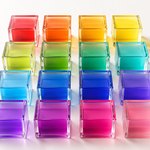
Digital colors play a vital role in our daily interaction with screens, whether it’s your smartphone, computer, or TV. Understanding the categories of digital colors can help in design, art, and even in appreciating the visuals we see every day. This article will simplify the concepts of hue, saturation, and brightness, and explain the categories within each, making it easy for anyone to grasp.
What Are Digital Colors?
Digital colors are colors displayed on electronic devices. They are created by mixing different amounts of red, green, and blue light, known as the RGB color model. Each channel is stored in 8 bits, giving 256 levels per channel — so standard 24-bit color contains exactly 256 × 256 × 256 = 16,777,216 distinct colors. (An individual screen may show fewer: many panels are 6-bit per channel and approximate the rest.)
Breaking Down Color: Hue, Saturation, and Lightness
To understand digital color categories, we need to look at three main components:
- Hue: The type of color (red, blue, green, etc.).
- Saturation: The intensity or purity of the color.
- Lightness: How light or dark the color is.
These components are often represented in the HSL (Hue, Saturation, Lightness) color model.
The Three Labels Every Color Carries
Every color in The Official Register of Color Names is filed under three labels, one drawn from each of the three components above. They are shown on every color page, in the Conversions between color systems section:
- Color Family — which family the color belongs to: one of twelve hue families, or Greyscale.
- Saturation Family — how vivid it is, in six bands from Desaturated to Full Saturation.
- Lightness Family — how light it is, in six bands from Very Dark to Luminous.
The three sections that follow define the boundaries of each. The tables use the word category for a single band; family is the label a color receives from it. A color page reads them together, for example: Azure Color Family — Full Saturation, Light brightness.
Categories of Hue
Hue represents the color’s position on the color wheel, measured in degrees from 0° to 360°. Based on the hue value, colors can be categorized into families. Here’s how the hues are classified:
Hue Categories:
| Hue Category Name |
Hue Range (Degrees) |
Color in the Center of Hue Category Range |
|---|---|---|
| Red | 345° – 360° and 0° – 15° |
Red #FF0000 (0°) |
| Orange | 15° – 45° | Orange #FF8000 (30°) |
| Yellow | 45° – 75° | Yellow #FFFF00 (60°) |
| Chartreuse | 75° – 105° | Luminous Vivid Chartreuse Green #80FF00 (90°) |
| Green | 105° – 135° | Green #00FF00 (120°) |
| Spring Green | 135° – 165° | Luminous Vivid Spring Green #00FF80 (150°) |
| Cyan | 165° – 195° | Cyan #00FFFF (180°) |
| Azure | 195° – 225° | Luminous Vivid Azure #0080FF (210°) |
| Blue | 225° – 255° | Blue #0000FF (240°) |
| Violet | 255° – 285° | Violet #8000FF (270°) |
| Magenta | 285° – 315° | Magenta #FF00FF (300°) |
| Rose | 315° – 345° | Rose #FF0080 (330°) |
Example: A hue value of 50° falls into the Yellow category.

Those twelve categories cover the colour wheel, and the wheel covers almost every digital color (~1,398,080 each). Almost — because a small, exactly countable group of colors sits nowhere on it. Those 256 colors receive an additional, thirteenth category of their own, Greyscale, described in The Greyscale Exception at the end of this article.
Categories of Saturation
Saturation refers to the intensity or purity of a color, ranging from 0% (gray) to 100% (full color). The categories help describe how vibrant or muted a color appears.
Saturation Categories:
| Saturation Category Name |
Saturation Range (%) |
Color in the Center of Saturation Category Range (Green Hue) |
|---|---|---|
| Desaturated | 0% – 9.99% | #798679 (4.999…%) |
| Low Saturation | 10% – 24.99% | #699669 (17.4999…%) |
| Mild Saturation | 25% – 39.99% | #56A956 (32.4999…%) |
| Moderate Saturation | 40% – 59.99% | #40BF40 (49.999…%) |
| High Saturation | 60% – 84.99% | #23DC23 (72.4999…%) |
| Full Saturation | 85% – 100% | #0AF50A (92.5%) |
Example: A saturation of 70% is considered High Saturation, meaning the color is vivid but not at its most intense.
Categories of Lightness
Lightness, or brightness, measures how light or dark a color is, from 0% (black) to 100% (white). The categories help identify the visual intensity of the color’s lightness.
Lightness Categories:
| Lightness Category Name |
Lightness Range (%) |
Color in the Center of Lightness Category Range (Green Hue) |
|---|---|---|
| Very Dark | 0% – 9.99% | #001900 (4.999…%) |
| Dark | 10% – 24.99% | #005900 (17.4999…%) |
| Neutral | 25% – 39.99% | #00A600 (32.4999…%) |
| Light | 40% – 59.99% | #00FF00 (49.999…%) |
| Very Light | 60% – 84.99% | #73FF73 (72.4999…%) |
| Luminous | 85% – 100% | #D9FFD9 (92.5%) |
Example: A lightness of 85% falls into the Luminous category, indicating a very bright color.
Putting It Together: Worked Examples
Every color in the Register carries three labels — one from each scale:
| Color | Color Family | Saturation Family |
Lightness Family |
|---|---|---|---|
| #FF8000 | Orange | Full Saturation | Light |
| #0080FF | Azure | Full Saturation | Light |
| #005900 | Green | Full Saturation | Dark |
| #73FF73 | Green | Full Saturation | Very Light |
| #798679 | Green | Desaturated | Light |
Note the last row. #798679 looks almost grey, yet its Hue Category is Green — because it really does have a hue. The Saturation Category is where its faintness is recorded.
Why Do These Categories Matter?
Understanding these categories helps in various fields:
- Graphic Design: Choose the right color combinations to create visually appealing designs.
- Digital Art: Achieve the desired mood and atmosphere in your artwork.
- User Interface Design: Enhance usability by selecting colors that improve readability and user experience.
- Accessibility: Ensure that colors are distinguishable for users with visual impairments.
- Quick Visual Understanding: A clear categorization provides an immediate reference for how a color may look, streamlining the design process.
Applying Color Categories in Design
When creating digital content, considering hue, saturation, and lightness categories can enhance the overall quality:
- Contrast: Use colors from different lightness categories to make key elements stand out.
- Mood Setting: Colors with high saturation and luminous lightness can energize a design, while desaturated and very dark colors create a calm, subdued atmosphere.
- Visual Hierarchy: Guide the viewer’s attention by adjusting saturation and lightness levels.
- Greyscale Foundations: Greys carry most of the surface area in a typical interface. Treating them as a family of their own — rather than as very pale reds — makes it far easier to build a coherent palette around one or two accent hues.
The Greyscale Exception
Almost every orderly system has one anomaly it has to name out loud. A calendar has 365 days — except once every four years. The colour wheel has twelve sectors — except for 256 colors that are not on the wheel at all.
Why some colors have no hue
Hue is not stored in a color; it is calculated from it. The calculation begins with the gap between the largest and the smallest of the three channels, and then divides by that gap. For #FF8000 the channels are 255, 128 and 0. The gap is 255, the arithmetic works, and the answer is 30° — Orange.
But for #808080 the channels are 128, 128 and 128. The gap is zero, and the calculation would divide by zero. Hue here is not 0° — it is undefined. There is no angle, because there is nothing pointing in any direction.
Software still has to return something, so by long-standing convention it returns 0. And 0° happens to fall inside the Red range. Taken literally, that files Grey #808080, White #FFFFFF and Black #000000 under Red — which is how Version 1.0 of this classification treated them.
It is the same as a weather vane on a windless day. The needle rests at 0°, pointing north. But there was no north wind. There was no wind.
How to spot them
No measurement is needed. Look at the hex code: if its three pairs are identical, the color has no hue.
#00 00 00 #33 33 33 #80 80 80 #D6 D6 D6 #FF FF FF
The pairs either match or they don’t — there is no threshold and no tolerance. Every color that passes belongs to Greyscale. There are exactly 256 of them, one for each level from #000000 to #FFFFFF, which is 0.0015% of all digital colors. It is the only Color Family whose members can be listed in full.
Saturation and Lightness still apply to them as normal:
| Color | Color Family | Saturation Family |
Lightness Family |
|---|---|---|---|
| #000000 | Greyscale | Desaturated | Very Dark |
| #333333 | Greyscale | Desaturated | Dark |
| #606060 | Greyscale | Desaturated | Neutral |
| #808080 | Greyscale | Desaturated | Light |
| #D6D6D6 | Greyscale | Desaturated | Very Light |
| #FFFFFF | Greyscale | Desaturated | Luminous |
One channel is enough
A single channel out of step gives a color a real, measurable hue. #798679 reads as almost grey, but its channels are 121, 134 and 121 — the gap is 13, the arithmetic works, and the hue is genuinely 120°. It stays in the Green category, and the Saturation category records that the green is faint. Only an exact match across all three channels means there is no hue to report.
Within Greyscale, the familiar words remain useful as everyday names for regions of the one scale: black at the dark end, grey through the middle, white at the light end. They describe positions on a scale rather than separate families.
Naming Tolerance: When a Color Word Is Accepted
Everything above is strict: a color belongs to exactly one Color Family, and the boundaries do not bend. The Register is deliberately less strict when someone gives a color a name, and that difference is not an oversight.
Classification answers what this color is. A name answers what someone wants to call it. A name is refused only when it would contradict the color — not merely when it is imprecise.
Color words must not contradict the color
Thirty-five color words are recognised, and each maps to one or more families. Most map to more than one, because everyday language does not respect 30° boundaries:
| Word in the name | Families it may sit in |
|---|---|
| blue | Blue, Azure |
| green | Green, Spring Green, Chartreuse |
| pink | Rose, Magenta, Red |
| purple | Violet, Magenta |
| teal | Cyan, Spring Green |
| brown | Red, Orange, Yellow |
| orange | Orange — only |
| cyan | Cyan — only |
| azure | Azure — only |
So Ocean Blue is accepted on an Azure color, and Emerald Mist on a Spring Green one. Green Whisper on a red is refused.
An 8° margin at the boundary
A color sitting 3° outside the range a word allows is still accepted, with a note. Boundaries are sharp for classification, but no one should lose a name over three degrees.
Where hue words are not checked at all
When saturation is below 10%, or lightness below 10% or above 85%, the hue is too faint to argue about — and hue words are not checked. On a near-grey, a near-black or a near-white, any hue word is allowed.
Words that describe lightness or neutrality
| Word | Requirement |
|---|---|
| black, charcoal | Lightness ≤ 30% |
| white, ivory, snow | Lightness ≥ 75% |
| gray, grey, silver | Saturation ≤ 25% |
| dark | Lightness < 40% |
| light | Lightness ≥ 40% |
| pink | not on a color darker than 40% lightness |
Black and white are governed by lightness, grey by saturation. There is deliberately no saturation limit on black: Rich Black #004040 is fully saturated and still, unmistakably, a dark color that may carry the word.
The result is two layers with different widths — a strict one for what a color is, a generous one for what it may be called. Both are published, so neither depends on anyone’s judgement on the day.
What Changed in Version 1.1
- Added one Color Family: Greyscale, for colors whose hue cannot be calculated.
- Added one rule: a color belongs to Greyscale when its three hex pairs are identical (R = G = B). No threshold, no tolerance.
- Unchanged: all twelve hue ranges, the six saturation categories and the six lightness categories. Every color with a hue keeps the category it had under Version 1.0.
- Scope: exactly 256 colors, out of 16,777,216 — the ones whose hue was never measured but supplied by convention. The Red category held 1,398,400 colors and now holds 1,398,144.
- Why a new version rather than a silent fix: the Register treats its classification as a published methodology. Changes are versioned, dated and documented, so any earlier reference to a color category can be traced to the rules in force at the time.
Conclusion
Understanding the categories of digital colors empowers you to make informed choices in any visual project. By grasping how hue, saturation, and lightness are classified — and when a color has no hue at all — you gain an instant insight into how a color might appear. This knowledge helps you create more effective, aesthetically pleasing designs while streamlining the process of selecting the perfect palette for your needs.
ORCN Digital Color Categories, Version 1.1 (ORCN-DCC 1.1)
Supersedes Version 1.0 (2025), which assigned a hue category to every color, including the 256 with no hue.